Add a feed or sitemap in MyLINK MarketingPlatform
Use Feeds & Sitemaps to pull profiles or content from an online source and keep checking for new items.
Before you start
You need:
- Access to Integrations & Settings
- The online address for the feed or sitemap
- Any tags or source details required by your setup
Add a feed or sitemap
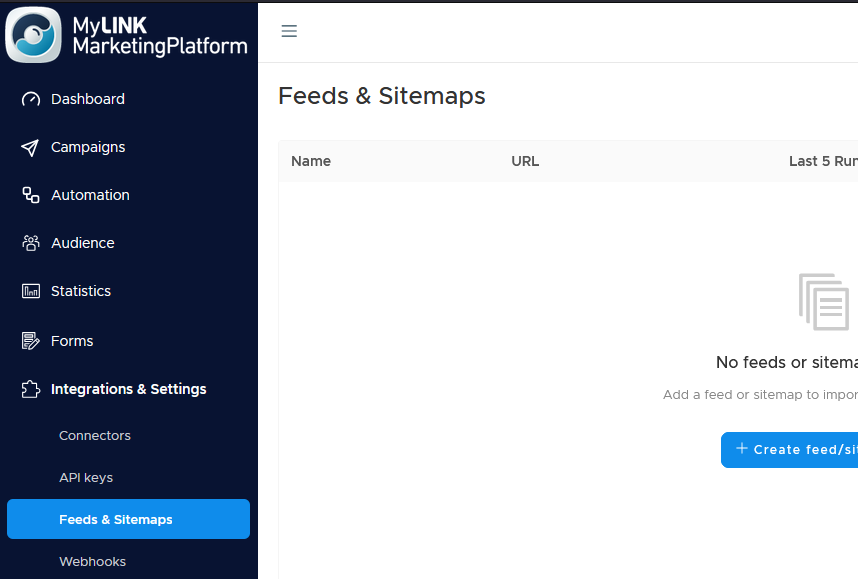
Step 1. Open Feeds & Sitemaps
Go to Integrations & Settings and open Feeds & Sitemaps.
Step 2. Create a new feed
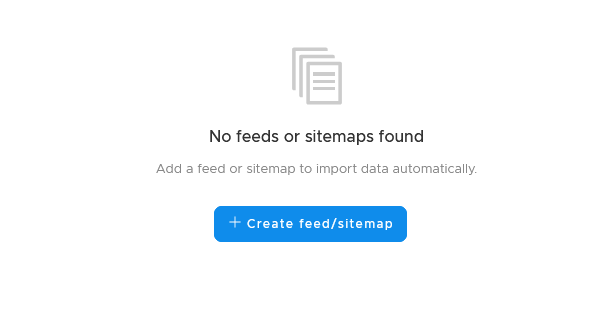
Click + Create feed/sitemap.
Step 3. Enter feed details
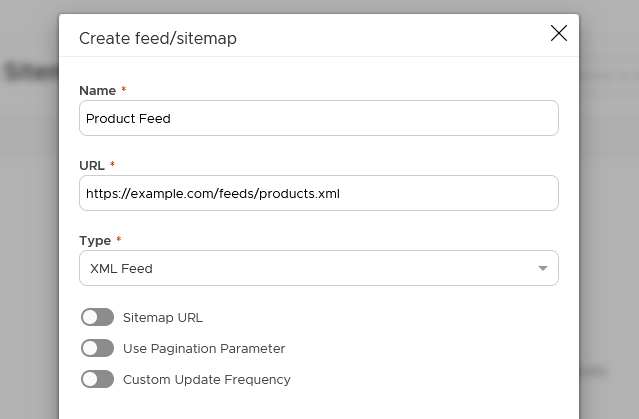
Add the feed name and the address it should read from.
Step 4. Save the feed
Save the feed after the details are complete.
Step 5. Review recent checks
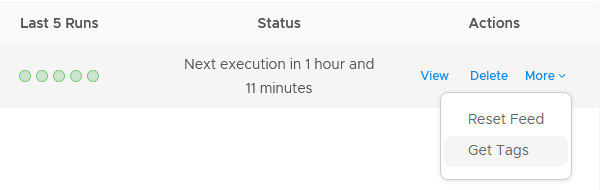
Use the colored dots to see whether recent checks found new items, found no changes, or had a problem.

Step 6. Use the More menu
Use the More menu to restart a feed or fetch its tags when needed.
When to use this feature
Use feeds and sitemaps when content or profile data lives in an online source that should be checked again over time.
Common use cases
- Product content
Read product content from an online source. - Article content
Read article content that changes over time. - Profile sources
Check profile sources that update regularly.
Marketing tip
Check the feed history after setup. It helps confirm whether the source is changing and whether the platform can read it.
Additional information
Feed list
The list shows each feed name, the address it reads from, recent check history, and when the next check is due.
Status indicators
Colored dots show whether new items were found, nothing changed, or there was a problem.
Things to know
- Feeds keep checking for new items.
- The More menu can restart a feed.
- The More menu can fetch tags.
- The next check time appears in the list.
Troubleshooting
Troubleshooting
| Problem | Possible cause | Solution |
|---|---|---|
| A feed shows a problem | The address may be unreachable or invalid | Review the address and try again |
| No new items appear | The source may not have changed | Check recent history and the source content |
| Tags are missing | Tags may not have been fetched | Use the More menu to fetch tags |
| The feed needs to run again | The next check may not be due yet | Use the More menu to restart the feed |