Find your way around MyLINK MarketingPlatform
Use the left menu, Top bar, and working area to move around MyLINK MarketingPlatform.
Before you start
You need:
- A MyLINK MarketingPlatform account
- Access to the correct customer account
- The Dashboard open after sign in
Find your way around MyLINK MarketingPlatform
Step 1. Open the Dashboard
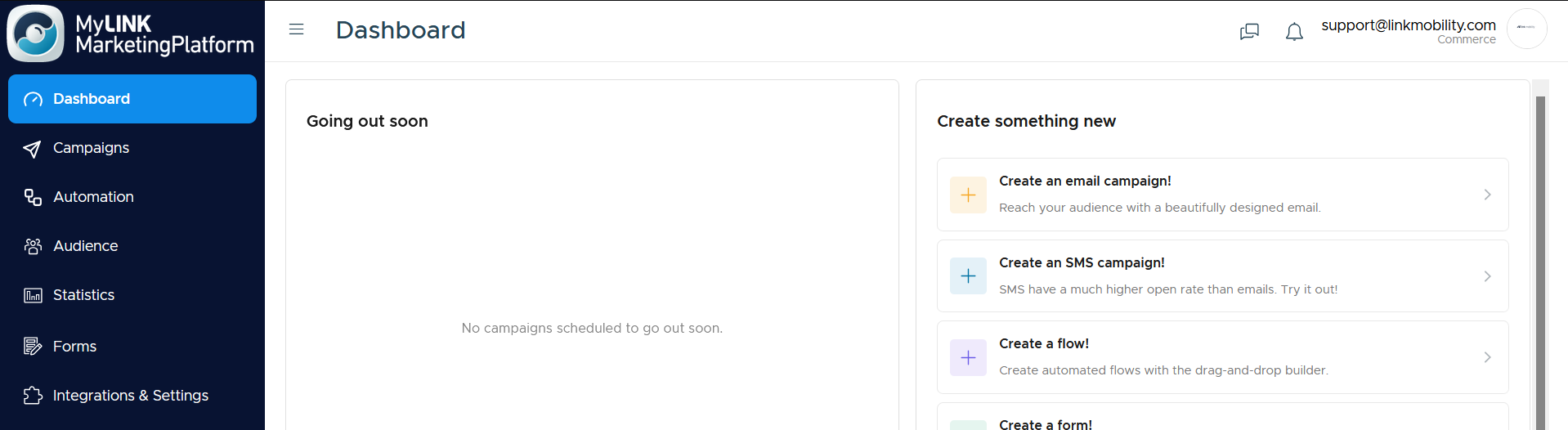
Step 2. Use the left menu
Use the left menu to open Dashboard, Campaigns, Automation, Audience, Statistics, Forms, and Integrations & Settings.
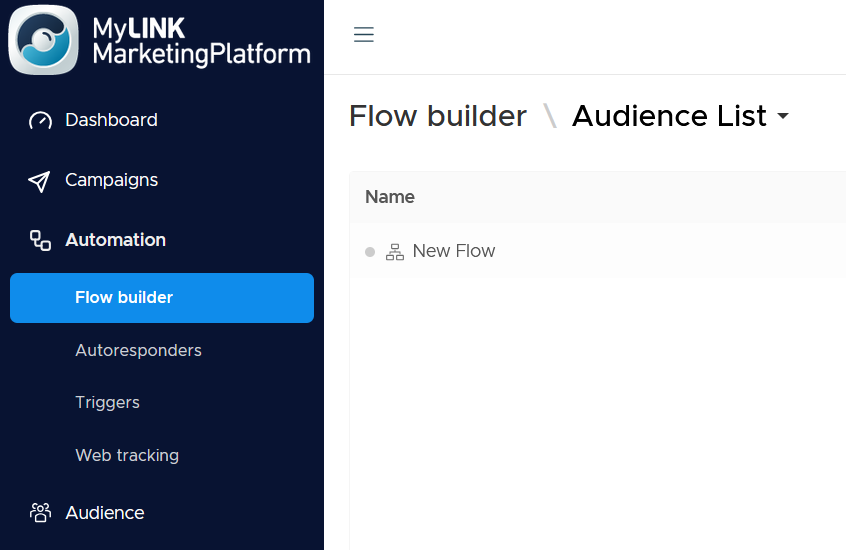
Step 3. Open subpages
Select a menu item with a small arrow to open its subpages.
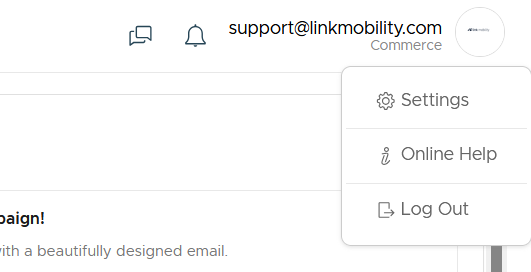
Step 4. Use the Top bar
Use the Top bar to open customer support, notifications, and the Profile menu.
When to use this feature
Use the main navigation when you need to move between setup, campaign work, audience management, forms, automation, reports, and account settings.
Common use cases
- Create or edit campaigns
Open Campaigns when you need to create, test, send, or schedule campaign content. - Manage audience data
Open Audience when you need to work with profiles, profile fields, audiences, or segments. - Review results
Open Statistics when you need to review campaign performance.
Marketing tip
If you are new to the platform, use the left menu as your map.
Audience work usually happens before campaign work, and Statistics comes after sending.
Additional information
Left menu
The left menu is the main way to move around the platform.
Working area
The working area in the middle of the screen shows the page you are using.
Profile menu
The Profile menu gives access to Settings, Online Help, and Log Out.
Things to know
- You can collapse the left menu with the button at the top.
- Items with a small arrow open subpages.
- The Top bar includes customer support, notifications, and the Profile menu.
Troubleshooting
| Problem | Possible cause | Solution |
|---|---|---|
| You cannot find a subpage | The menu item may be collapsed | Select the small arrow beside the menu item |
| The left menu takes too much space | The menu is expanded | Use the button at the top to collapse it |
| You need Online Help | The help link is in the Profile menu | Open the Profile menu and select Online Help |