Review and compare campaign performance in MyLINK MarketingPlatform
Use Campaign performance to review one email or SMS campaign, or compare several campaigns side by side.
Before you start
You need:
- Access to Statistics.
- At least one sent email or SMS campaign.
Analyze campaign performance
Step 1. Open Campaign performance
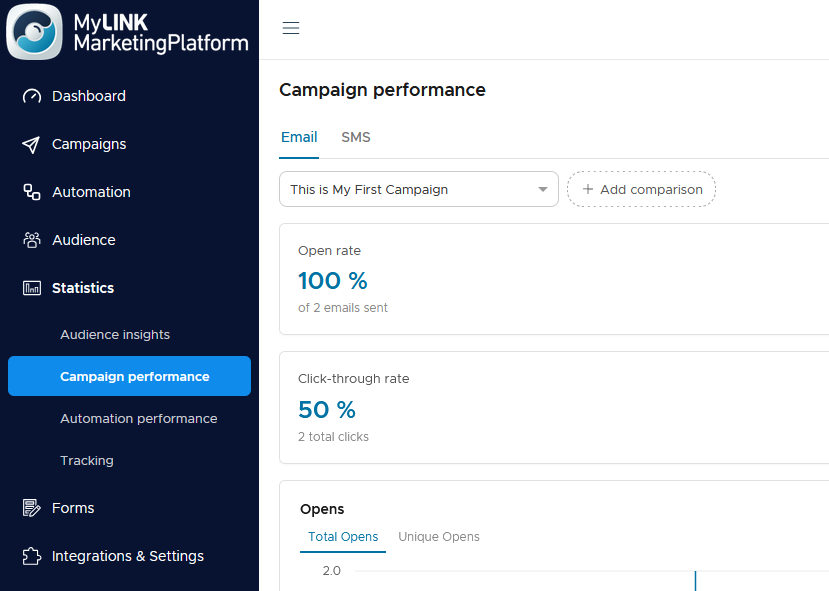
Go to Statistics and open Campaign performance.
Step 2. Choose Email or SMS
Use the tabs to switch between Email and SMS.

Step 3. Choose a campaign
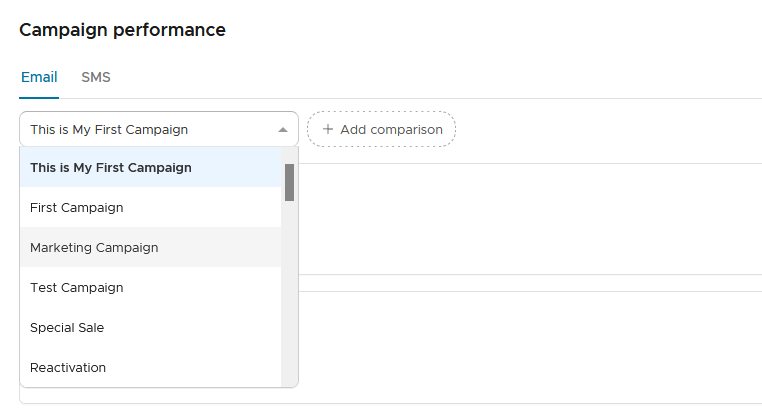
Select the campaign you want to analyze.
Step 4. Add a comparison
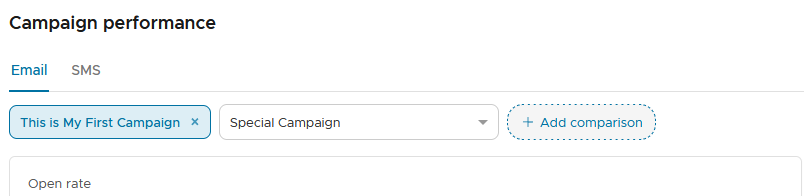
Use Add comparison to include up to four campaigns.
Step 5. Review KPI cards
For email, review open rate, unique click rate, click-through rate, and total unsubscribes. For SMS, review delivery rate, unique click rate, click rate, and unsubscribes.

Step 6. Review delivery status
Review the email or SMS status breakdown. A single campaign uses a donut chart. Comparisons use grouped bars.
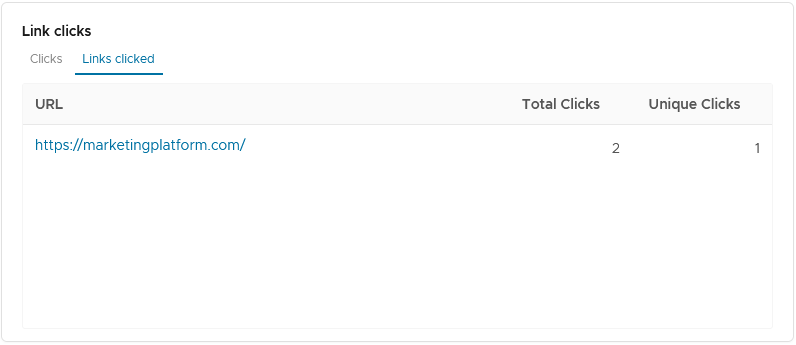
Step 7. Review link clicks
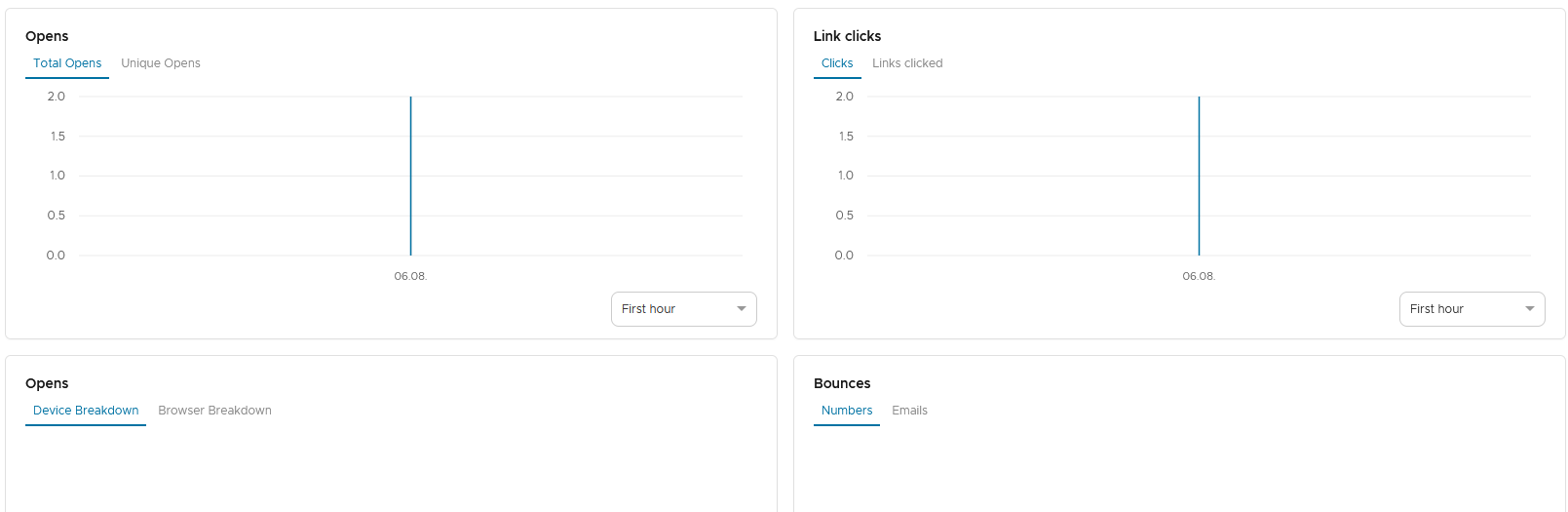
Use the link clicks view to see clicks over time and the most-clicked links.
When to use this feature
Use Campaign performance after a send to understand engagement and delivery.
Common use cases
- Plan the next send
Use campaign results to decide what to adjust in your next audience, segment, message, or send time. - Compare newsletters
Compare newsletter topics with similar audiences and goals. - Check SMS delivery
Review SMS delivery and engagement. - Review link interest
See which links received clicks.
Marketing tip
Compare campaigns with similar audiences and send goals. Look at more than one metric: opens can indicate initial interest, while clicks and unsubscribes can help show whether the content and audience matched.
Additional information
Email campaign KPIs
Email campaign KPIs include open rate, unique click rate, click-through rate, and total unsubscribes.
SMS campaign KPIs
SMS campaign KPIs include delivery rate, unique click rate, click rate, and unsubscribes.
Campaign selection
Until you pick a campaign, the report shows a prompt to pick a campaign to begin.
Things to know
- Use Email and SMS tabs to switch report type.
- Add comparison lets you compare several campaigns.
- Status breakdowns appear differently when comparing campaigns.
- Link click reports include a chart and a table.
- Results may continue to change shortly after a campaign is sent as more activity is recorded.
Troubleshooting
| Problem | Possible Cause | Solution |
|---|---|---|
| No report appears | No campaign is selected | Choose a campaign to begin |
| Results look incomplete | The campaign may have been sent recently | Check again later if activity is still being recorded |
| A campaign is missing | The wrong Email or SMS tab may be selected | Switch tabs and check again |
| Comparison is unavailable | The comparison limit may be reached | Remove a comparison or review fewer campaigns |
| Link click data is limited | The campaign may have few links or few clicks | Review the campaign content and send results |