Send or schedule a campaign in MyLINK MarketingPlatform
Send a campaign now, schedule it for later, or use repeat sending when the campaign should resend on a recurring basis.
Before you start
You need:
- A tested campaign
- The correct audience or segment
- Sender details and message content reviewed
Send or schedule a campaign
Step 1. Open the send options
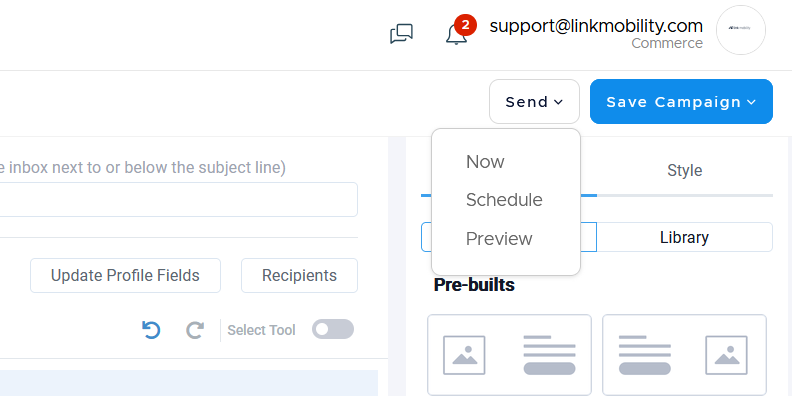
Open the campaign send flow after the message is ready. You will find it by viewing the campaign you want to send.
Step 2. Send now or schedule
Choose Now when the campaign should send immediately. Choose Schedule when the campaign should send later.
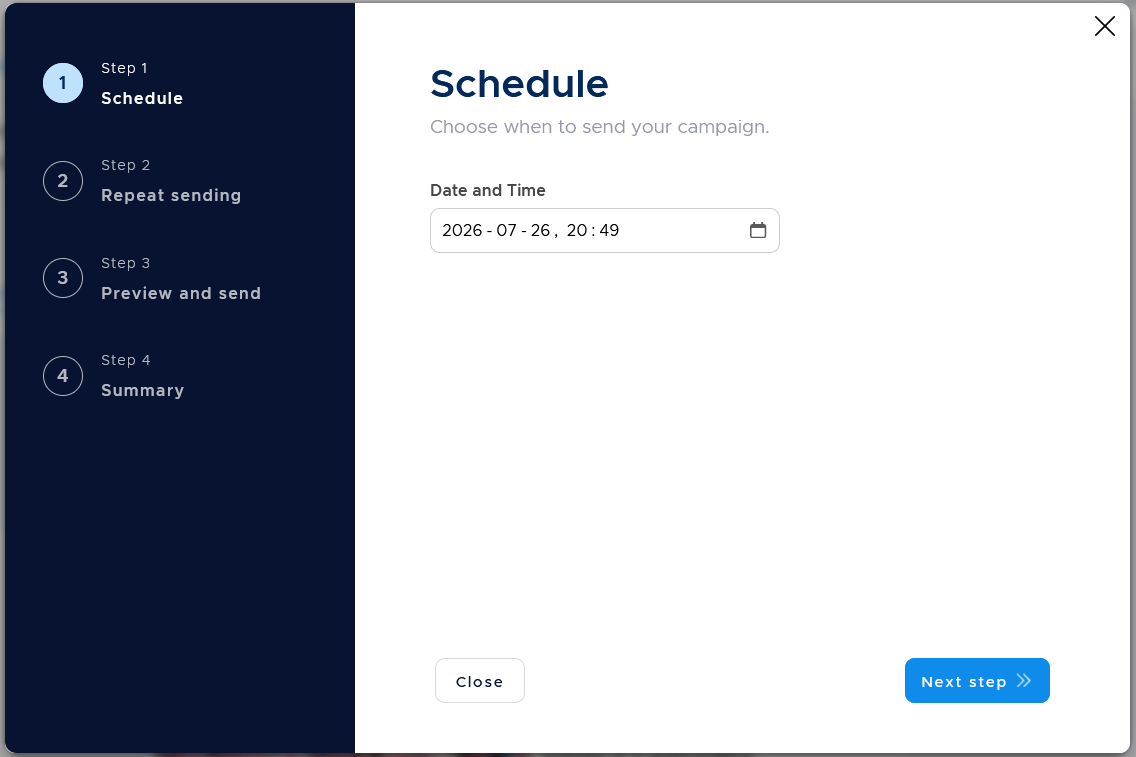
Step 3. Follow the steps and review
Follow the guided Campaign Wizard and review your sending.
Step 4. Manage queued sends
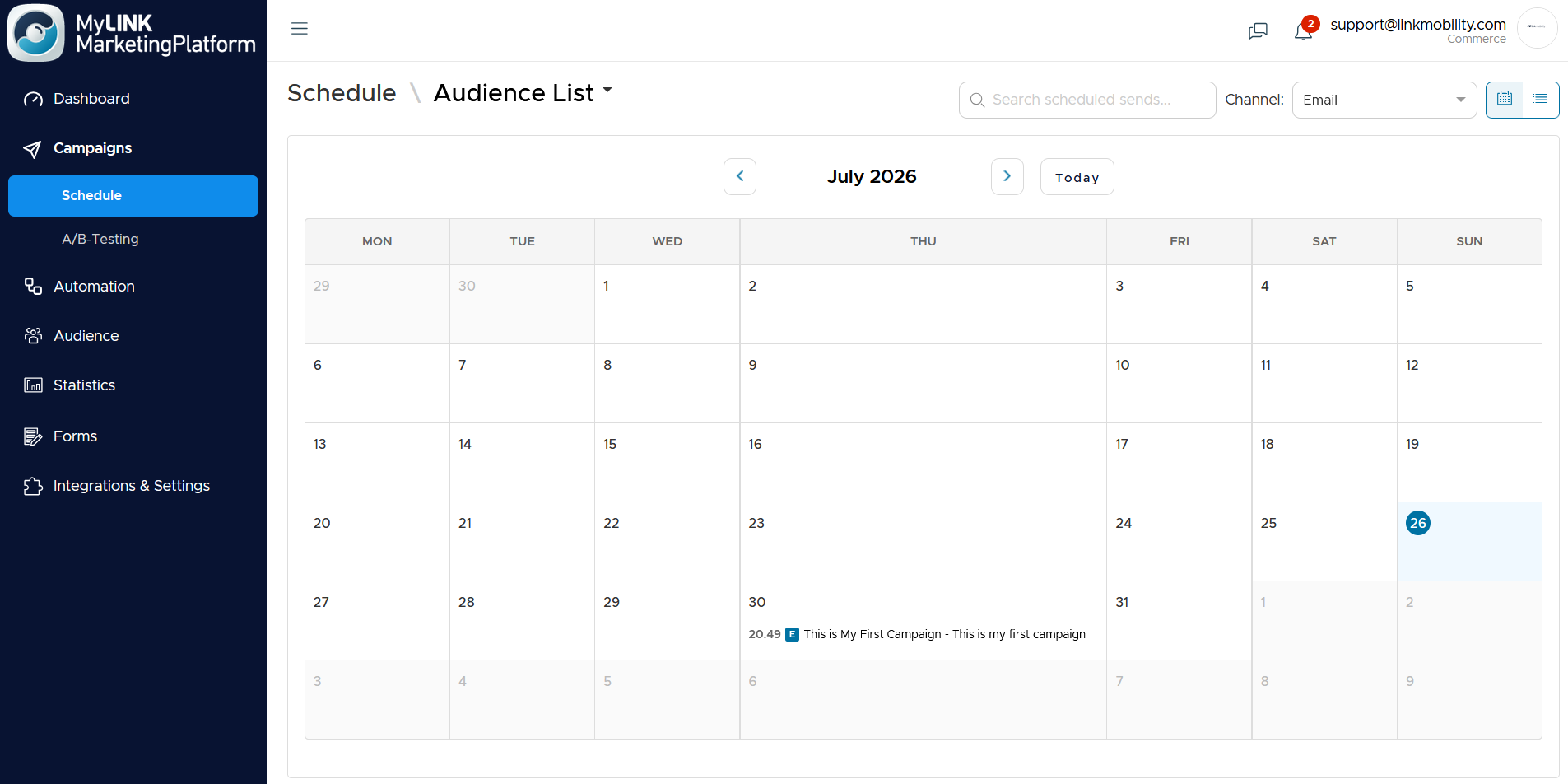
Open Campaigns > Schedule to view queued sends on a calendar or as a list.
Pause, resume, or cancel sends when needed.
When to use this feature
Use send or schedule when the campaign has been tested and is ready for recipients.
Common use cases
- Send an immediate update
Use Send Now when the message is ready and should go out right away. - Plan a newsletter send
Use Schedule Sending when the campaign should go out at a planned time. - Repeat a campaign
Use the repeat sending flow when the campaign should resend on a recurring basis.
Marketing tip
Schedule campaigns after the final review.
Then use Campaigns > Schedule to check what is queued before the send time.
Additional information
Repeat sending
The repeat sending flow lets you configure how often a campaign should repeat before moving on to preview and summary steps.
Schedule view
The schedule area can show queued sends as a calendar or as a list.
Queue actions
You can pause, resume, or cancel queued sends.
Things to know
- Send Now sends the campaign immediately.
- Schedule Sending queues the campaign for later.
- Repeat sending is for recurring sends.
- Queued sends are under Campaigns > Schedule.
Troubleshooting
| Problem | Possible cause | Solution |
|---|---|---|
| The campaign should not send now | Send Now is not the right option | Use Schedule Sending |
| A queued send needs to stop | The send is already scheduled | Open Campaigns > Schedule and cancel or pause it |
| A recurring send needs changes | Repeat sending settings may need review | Review the repeat sending flow before the summary step |