Test and review a campaign before sending in MyLINK MarketingPlatform
Review your campaign setup, preview the message, and send a test before the first live send.
Before you start
You need:
- A campaign with message content
- The selected audience or segment
- A test address, test number, or small internal group
Test and review a campaign before sending
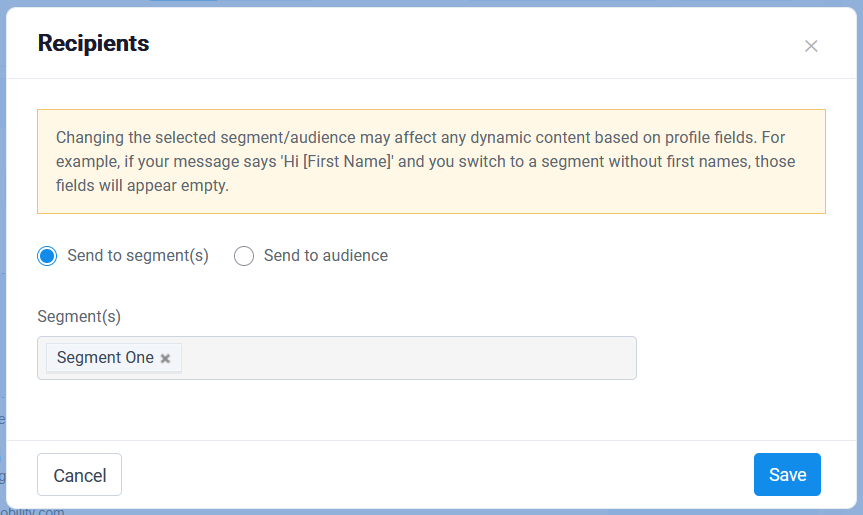
Step 1. Check recipients
Confirm that the correct audience or segment is selected.
Step 2. Check sender details
Check sender details, the subject line, or the SMS sender name.
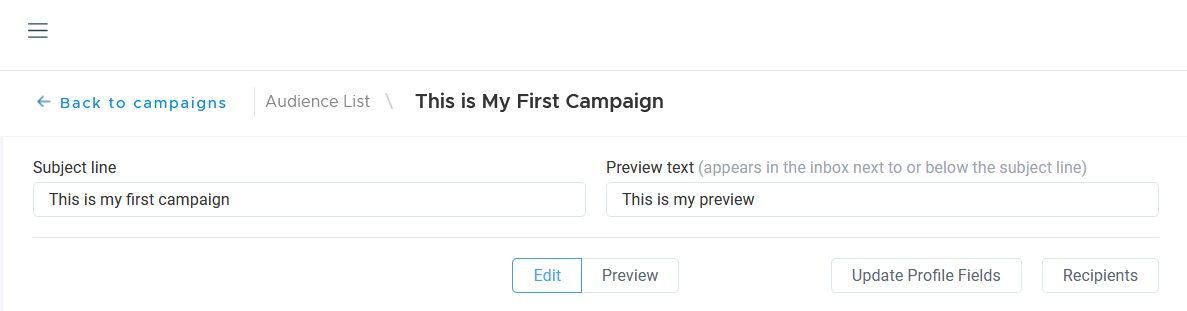
Step 3. Review the message
Review personalization, links, and message content.
For email, check that unsubscribe or preference options are in place.
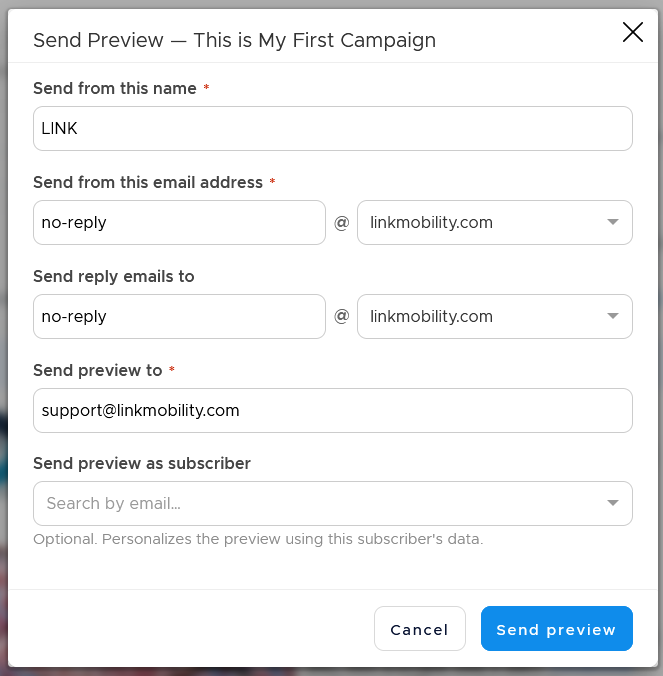
Step 4. Preview and send a test
Use Preview to see how the campaign will look in the real world.
Send a test to yourself or a small internal group.
Before you send your first campaign
Use this review before any live send, especially your first campaign.
Common use cases
- Check a first newsletter
Review links, content, sender details, and unsubscribe options before sending. - Check SMS sender details
Review the SMS sender name before sending to recipients. - Check personalization
Send a test to confirm that personalization and placeholders look correct.
Marketing tip
For the first live send, start with a small audience if possible.
This gives you a safer way to confirm the setup before larger sends.
Additional information
Preview
Preview shows how the campaign will look before it is sent.
Test send
Send a test to yourself or a small internal group.
First live send
It's recommended starting with a small audience if possible.
Things to know
- Check the audience or segment before sending.
- Check sender details before sending.
- Check unsubscribe or preference options for email.
- Send a test before the first live send.
Troubleshooting
| Problem | Possible cause | Solution |
|---|---|---|
| The wrong recipients are selected | The wrong audience or segment may be chosen | Change the audience or segment before sending |
| Links need review | Message content may not be final | Use Preview and send a test |
| Personalization looks wrong | Profile data or placeholders may need review | Check the test message before sending |