How to log in to MyLINK MarketingPlatform
Log in to MyLINK MarketingPlatform with your username and password, then choose the customer account you want to use.
Before you start
You need:
- A MyLINK MarketingPlatform account
- Your sign in details
- Access to the correct customer account
Log in to MyLINK MarketingPlatform
Step 1. Open MyLINK MarketingPlatform
Open MyLINK MarketingPlatform in your browser.
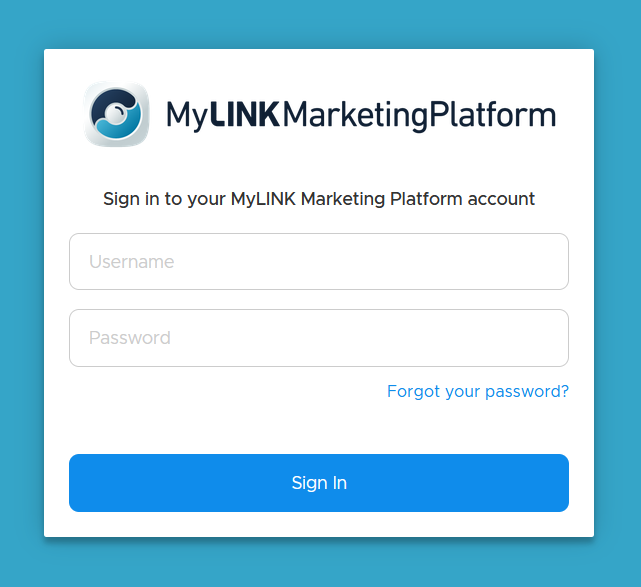
Step 2. Enter your sign in details
Enter your username and password.
Select Sign in.
Step 3. Choose a customer account
If your user is connected to more than one customer account, choose the account you want to work in.
You can switch customer accounts later from the Top bar.
When to use this feature
Use sign in when you need to access MyLINK MarketingPlatform to create campaigns, manage audiences, build segments, work with forms, or review Statistics.
Common use cases
- Start a new campaign
Sign in and choose the right customer account before you create an email campaign or SMS campaign. - Check campaign activity
Use the same customer account when you review scheduled sends, imports, segment updates, or campaign results. - Get product help
After sign in, use the Top bar to open customer support or Online Help.
Marketing tip
Before you import profiles or create campaigns, check that you are working in the right customer account.
This helps keep audiences, sender details, and campaign results in the right place.
Additional information
Customer accounts
Your sign in may be connected to more than one customer account. Choose the account you want to work in after sign in.
Profile menu
The Profile menu gives you access to Settings, Online Help, and Log Out.
Restore password
If you need to restore or have forgotten your password, use the "Forgot your password?"-button to create a new one.
Things to know
- You can switch customer accounts later from the Top bar.
- The Top bar includes customer support, notifications, and the Profile menu.
Troubleshooting
| Problem | Possible cause | Solution |
|---|---|---|
| You are in the wrong customer account | Your sign in may be linked to more than one customer account | Switch customer accounts from the Top bar |
| You need help after sign in | You may need support or Online Help | Use the speech bubble icon or open Online Help from the Profile menu |