Check Sender ID regulations for SMS campaigns
Use the LINK Mobility Sender ID guide to check destination requirements before you send an SMS campaign from MyLINK MarketingPlatform.
Before you start
You need:
- The countries where profiles will receive the SMS campaign
- The Sender ID you plan to use
- The campaign purpose and example message content
- Time to complete any required registration before sending
Check Sender ID regulations for an SMS campaign
Step 1. Open the Sender ID guide
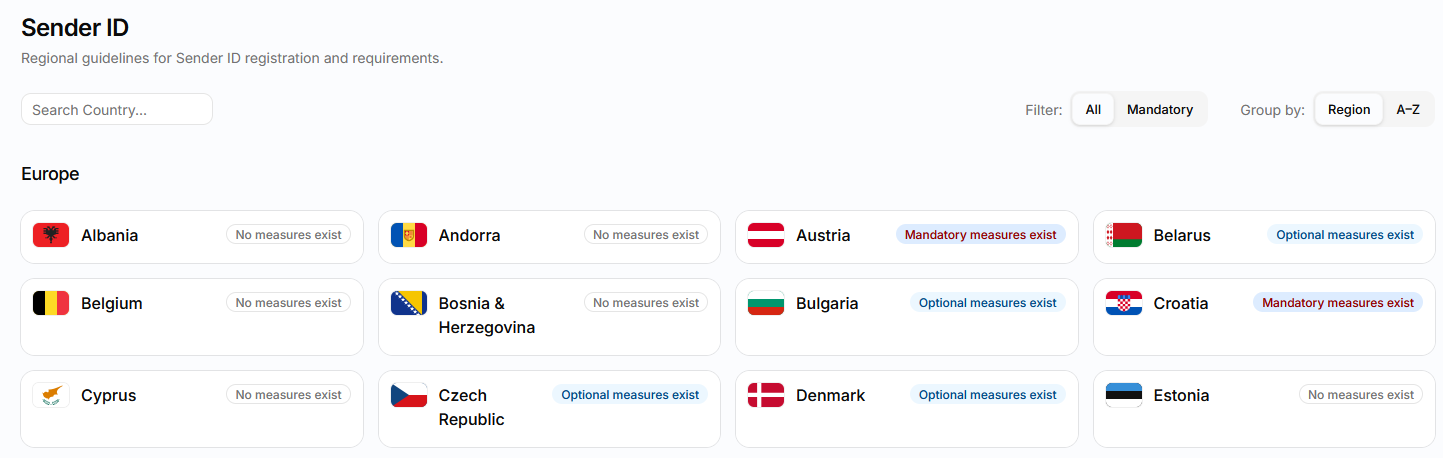
Step 2. Find the destination country
Use Search Country to find the country where profiles will receive the campaign.
You can also group countries by Region or A-Z.
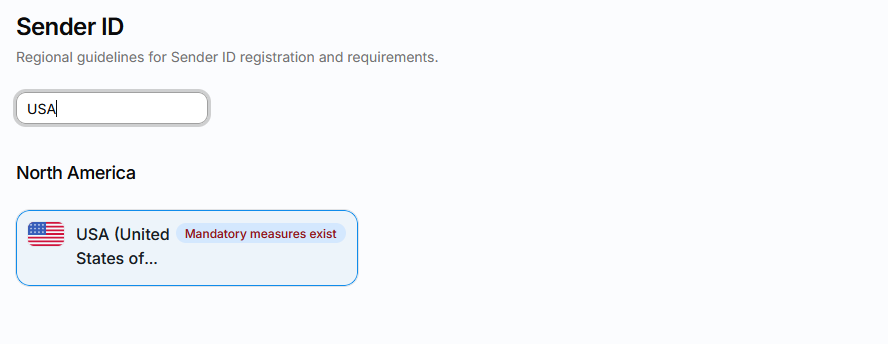
Step 3. Review the measures status
Check whether the country shows Mandatory measures exist, Optional measures exist, or No measures exist.
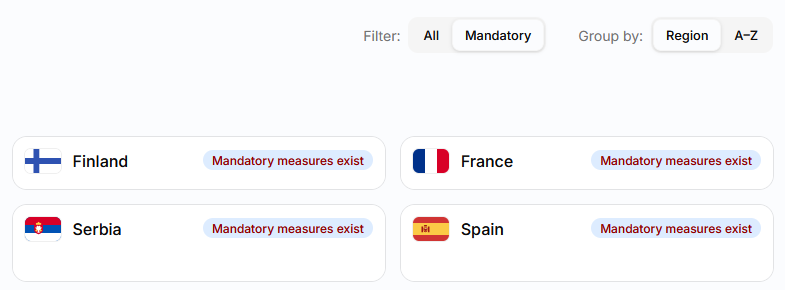
Use the Mandatory filter when you need to find destinations with mandatory measures.
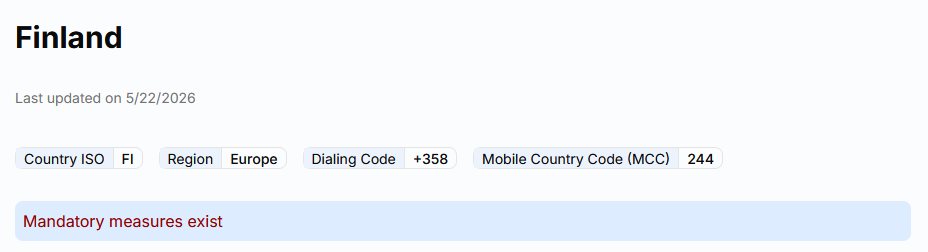
Step 4. Open the country guide
Select the destination country to open its detailed Sender ID guide.
Review the last updated date and destination details.
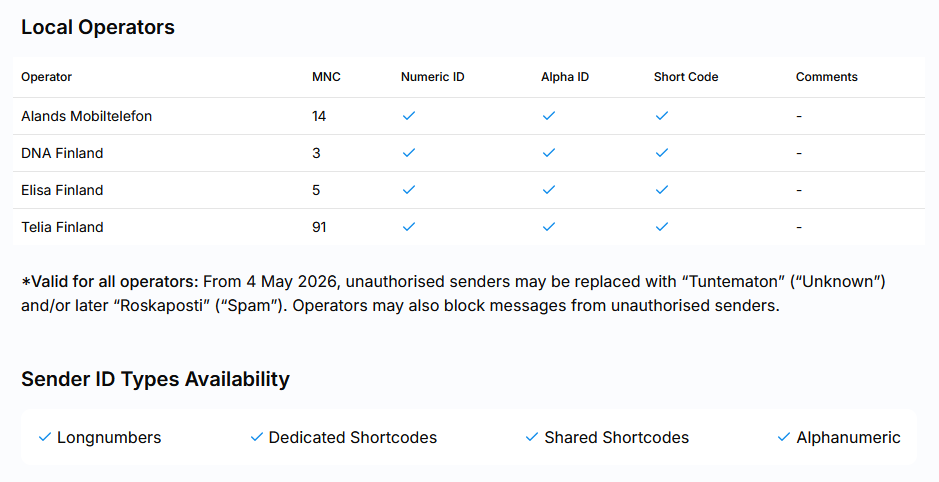
Step 5. Check operators and Sender ID types
Review the local operators and the Sender ID types available for the destination.
Depending on the country, the guide may list numeric IDs, alpha IDs, long numbers, dedicated short codes, shared short codes, or alphanumeric Sender IDs.
Step 6. Read the registration requirements
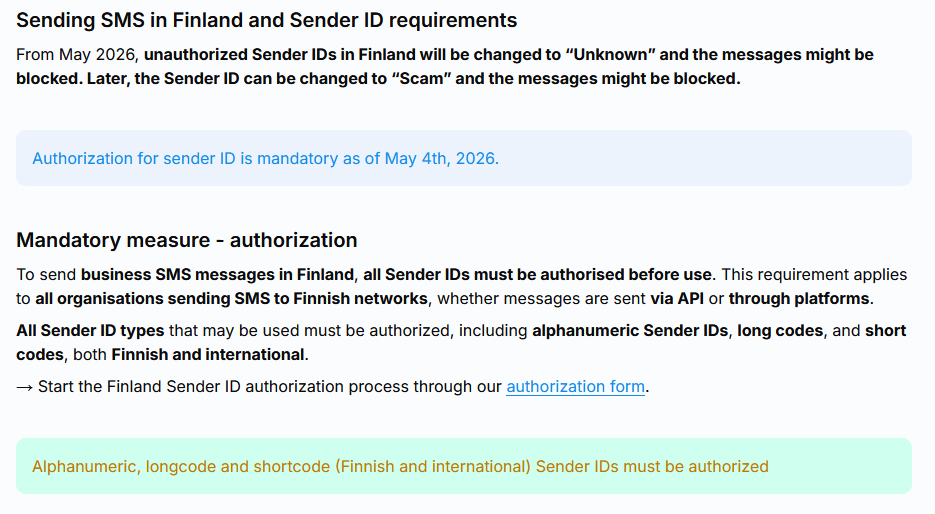
Read the Sender ID registration requirements for the country.
Check whether registration is mandatory, optional, unavailable, or limited to specific operators or traffic types.
Step 7. Prepare the required information
Prepare any forms, company details, content samples, approvals, or other documents listed in the country guide.
Contact LINK Mobility Sales or support when the guide directs you to request registration help.
Step 8. Check the Sender ID before sending
Before you send the SMS campaign in MyLINK MarketingPlatform, confirm that the planned Sender ID follows the country guide and any instructions from LINK Mobility.
Repeat the check for every destination country in the campaign.
When you use this feature
Check Sender ID regulations before you create or send an SMS campaign to a new destination.
Common use cases
- New destination countries
Check local requirements before sending SMS to profiles in a country you have not used before. - New Sender IDs
Check whether a new numeric or alphanumeric Sender ID needs registration. - Different campaign purposes
Review the country guide when the traffic type or message purpose changes.
Marketing tip
Check Sender ID requirements while planning the campaign, not on the planned send date.
Registration and document requirements vary by destination and may need input from legal, compliance, or support teams.
Additional information
Measures status
The overview labels each destination with mandatory measures, optional measures, or no measures.
Open the country guide before deciding what applies to your campaign.
Country details
Country guides can include local operators, available Sender ID types, registration requirements, templates, and required documents.
The details can vary by operator and traffic type.
Customer responsibility
The LINK Mobility guidelines are a general overview and do not provide legal advice.
Customers remain responsible for assessing and following the laws, regulations, operator policies, and agreement terms that apply to their messaging.
Changes to requirements
Sender ID requirements can change.
Check the live country guide again before a new campaign or registration request.
Things to know
- A country can have different requirements for different operators.
- Registration can depend on the Sender ID type or traffic type.
- Some destinations provide registration templates in the country guide.
- No measures exist does not replace your responsibility to follow applicable messaging rules.
- Use the live guide instead of keeping a separate country list in this article.
Troubleshooting
| Problem | Possible cause | Solution |
|---|---|---|
| You cannot find a destination | The country may be listed under another name or region | Search by country name, then browse the regional list |
| The country shows mandatory measures | Registration or other requirements apply | Open the country guide and complete the listed requirements before sending |
| Requirements differ by operator | Local operators may use different Sender ID rules | Review every operator listed for the destination |
| Your planned Sender ID is not available | The destination may restrict that Sender ID type | Choose a supported type with guidance from LINK Mobility Sales or support |
| Messages are changed or not delivered | The destination may restrict unregistered or unsupported Sender IDs | Stop the send, review the country guide, and contact support |