Spain
Last updated on 8/11/2026
Mandatory measures exist
Local Operators
| Operator | MNC | Numeric ID | Alpha ID | Short Code | Comments |
|---|---|---|---|---|---|
| DigiMobil | 22 | Yes | Yes | No | - |
| Euskatel | 8 | Yes | Yes | Yes | - |
| Jazztel | 21 | Yes | Yes | No | - |
| Lleida Networks | 26 | Yes | Yes | No | - |
| LycaMobile Spain | 25 | Yes | Yes | No | - |
| Orange Spain | 3 | Yes | Yes | Yes | - |
| R Cable y Telecomunicaciones | 17 | Yes | Yes | No | - |
| Simyo | 19 | Yes | Yes | No | - |
| Telefonica Spain | 7 | Yes | Yes | Yes | - |
| Vodafone Spain | 1 | Yes | Yes | Yes | - |
| Xfera Moviles | 4 | Yes | Yes | No | - |
Sender ID Types Availability
Available Registration Templates
Spain Sender ID / Alias registration requirements
Each individual alphanumeric Sender ID / Alias used for SMS/MMS or RCS in Spain must be registered separately with the CNMC through the official Alias Registry portal. This means that registration is required per Sender ID / Alias, not only once per company or account. Technical and regulatory requirements for alphanumeric Sender IDs / Aliases, including format and eligibility criteria, are set out in Annex III of the Spanish BOE publication.
Numeric Sender IDs do not require registration. This requirement applies only to alphanumeric Sender IDs / Aliases.
Generic Sender IDs are not accepted in Spain. Sender IDs such as BANK, SMS, MESSAGE, STORE, FLIGHT, or URGENT that do not clearly identify the sender will not be approved by the CNMC. Use a Sender ID that clearly identifies your company, brand, trademark, or service and for which you can demonstrate a legitimate connection.
→ The registration can be submitted by the alias holder, supplier, or an authorized representative using a valid Cl@ve account or digital certificate through the CNMC portal.
The registration requirement from Spain’s telecommunications regulator, the CNMC, applies only to alphanumeric Sender IDs / Aliases. Registration is mandatory: each alphanumeric Sender ID / Alias must be added and registered individually in the CNMC Alias Registry. If an alphanumeric Sender ID / Alias is not registered, it cannot be used on Spanish mobile operator networks, and related traffic may be blocked at operator level.
The certificate or account must belong to the natural or legal person submitting the request. Spanish companies must use a valid Spanish digital certificate.
Foreign companies within the eIDAS framework may use a compatible local certificate. Foreign companies without an eIDAS-compatible certificate need to fill out LOA (letter of authorization) that can be found at the top of this page and it must be attached when registering or authorizing the alias, to demonstrate that the authorized representative can manage the aliases on behalf of the alias holder. It is designed to be filled out and signed with a digital signature, or with a handwritten signature and company seal, and then scanned. Only English section has to be completed, please choose the appropriate LOA based on legal status of the person that will be filling out this letter.
During registration, select the correct authorized providers. We recommend selecting LINK MOBILITY SPAIN, S.L. UNIPERSONAL and NET REAL SOLUTIONS, S.L., both part of LINK Mobility Group.
Submission does not mean the Sender ID / Alias is fully registered. Final registration is completed only after the alias holder approves the CNMC validation notification.
Foreign companies without an eIDAS-compatible certificate may need to obtain a Spanish NIF starting with N before they can request a Spanish digital certificate and complete the Alias registration process.
Steps to register a Sender ID / Alias in Spain via CNMC
1. Access the CNMC portal
→ Go to the CNMC Alias Registry portal.
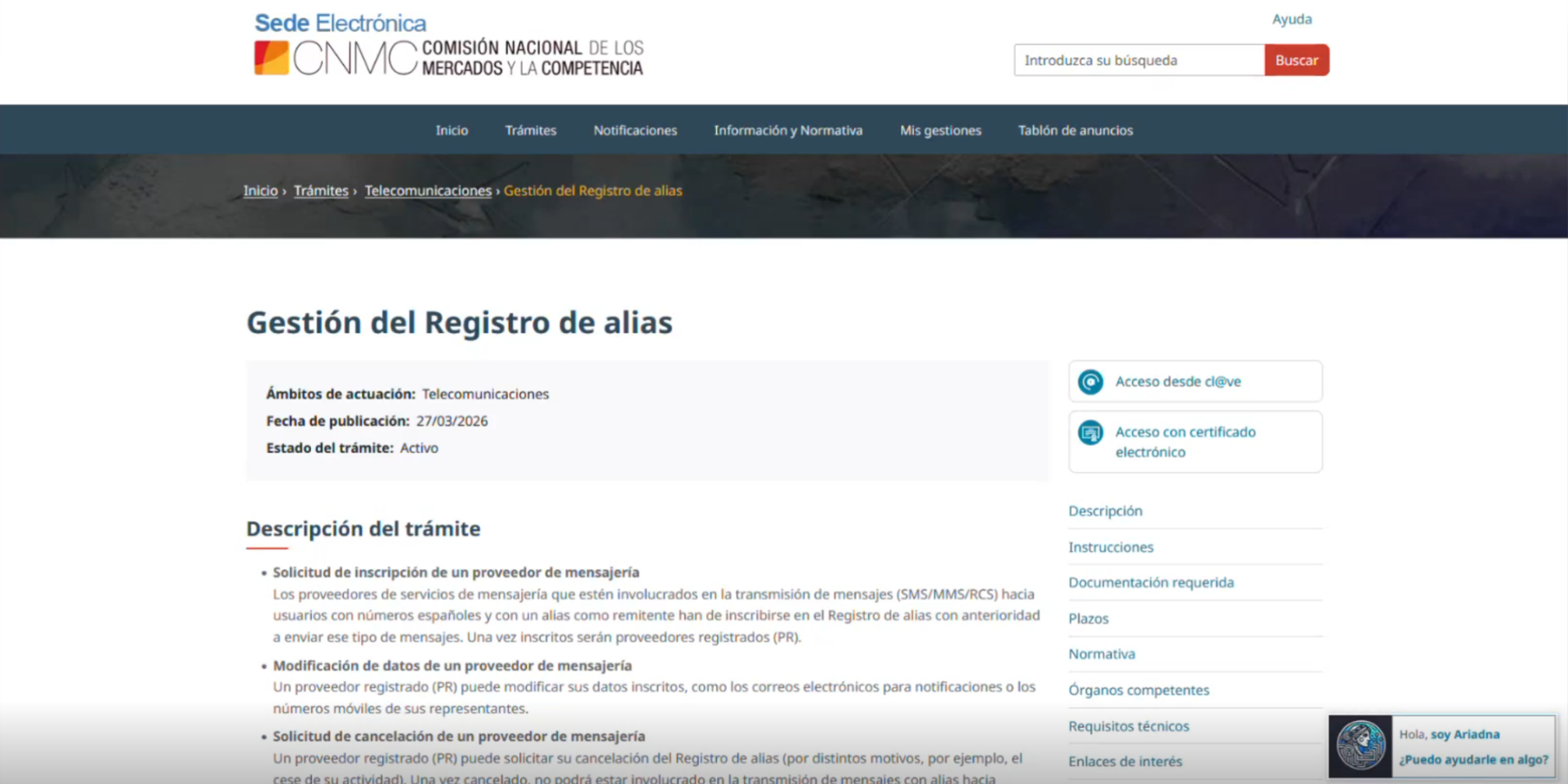
Select access with cl@ve or with an electronic certificate, as appropriate:
- Spanish companies must use a valid Spanish digital certificate.
- Foreign companies in eIDAS framework may use a compatible local digital certificate.
- Foreign companies without an eIDAS certificate will need to obtain a Spanish Tax Identification Number (NIF) starting with the letter N (for foreign companies), and subsequently request a Spanish digital certificate in order to complete the registration.
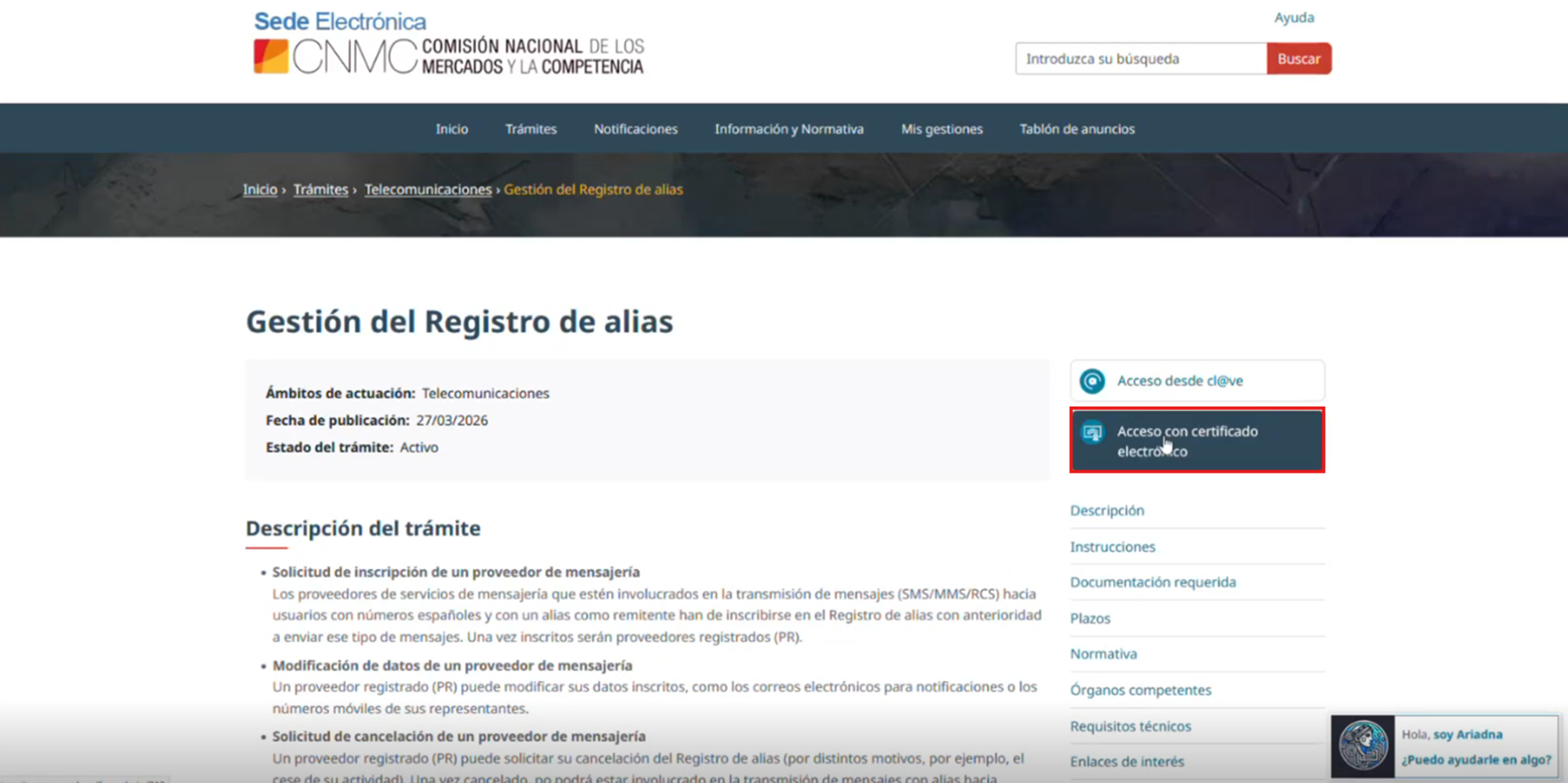

Once authenticated, the system identifies the applicant and allows a new registration to be started.
2. Create a new request
Start a new application and select “Alias Registration.”
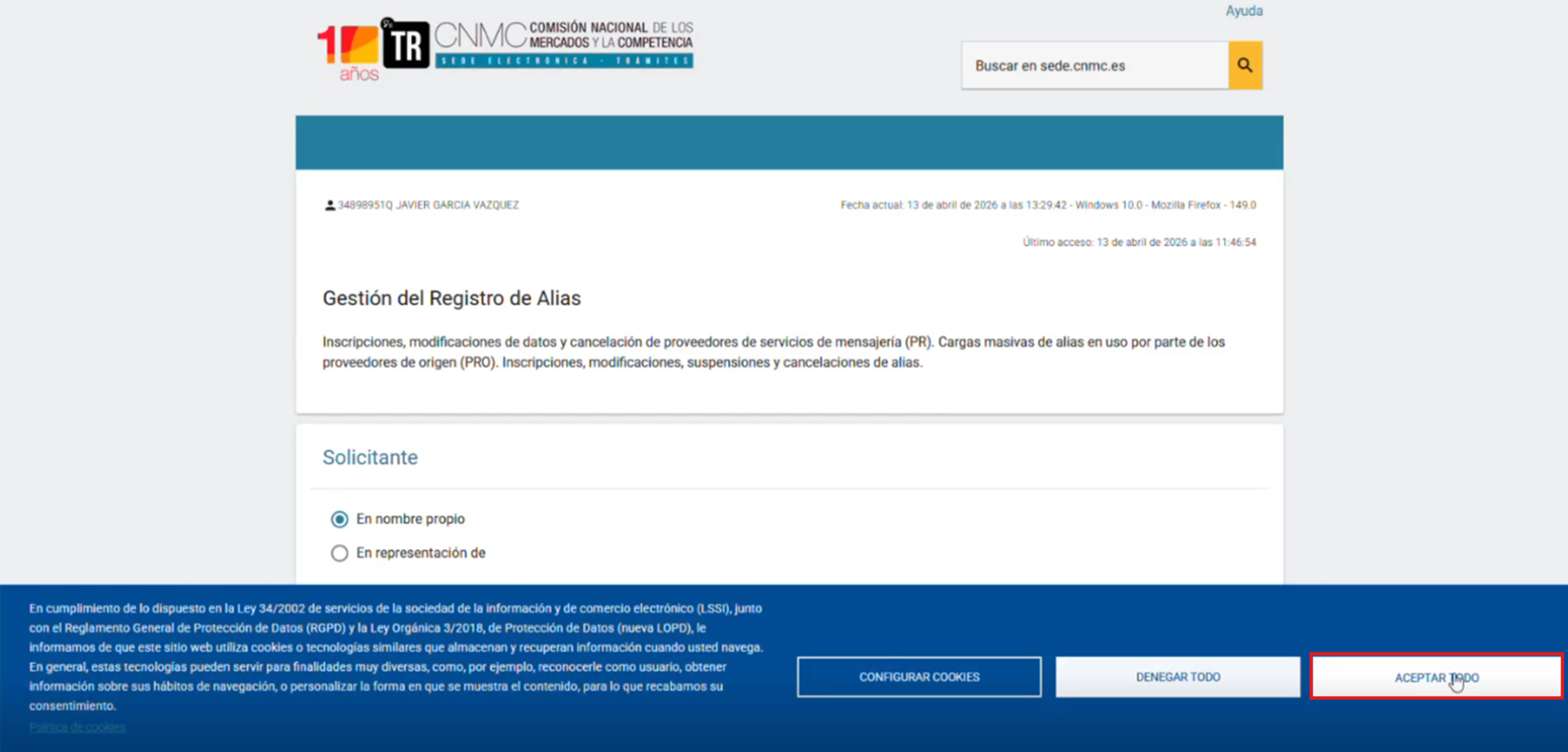
Enter the alias holder details:
- NIF
- Company or organization name
- Email address
- Any other required form details
Use an active email address, as CNMC notifications will be sent there. Some fields may appear optional at first but become mandatory after selecting the request type.
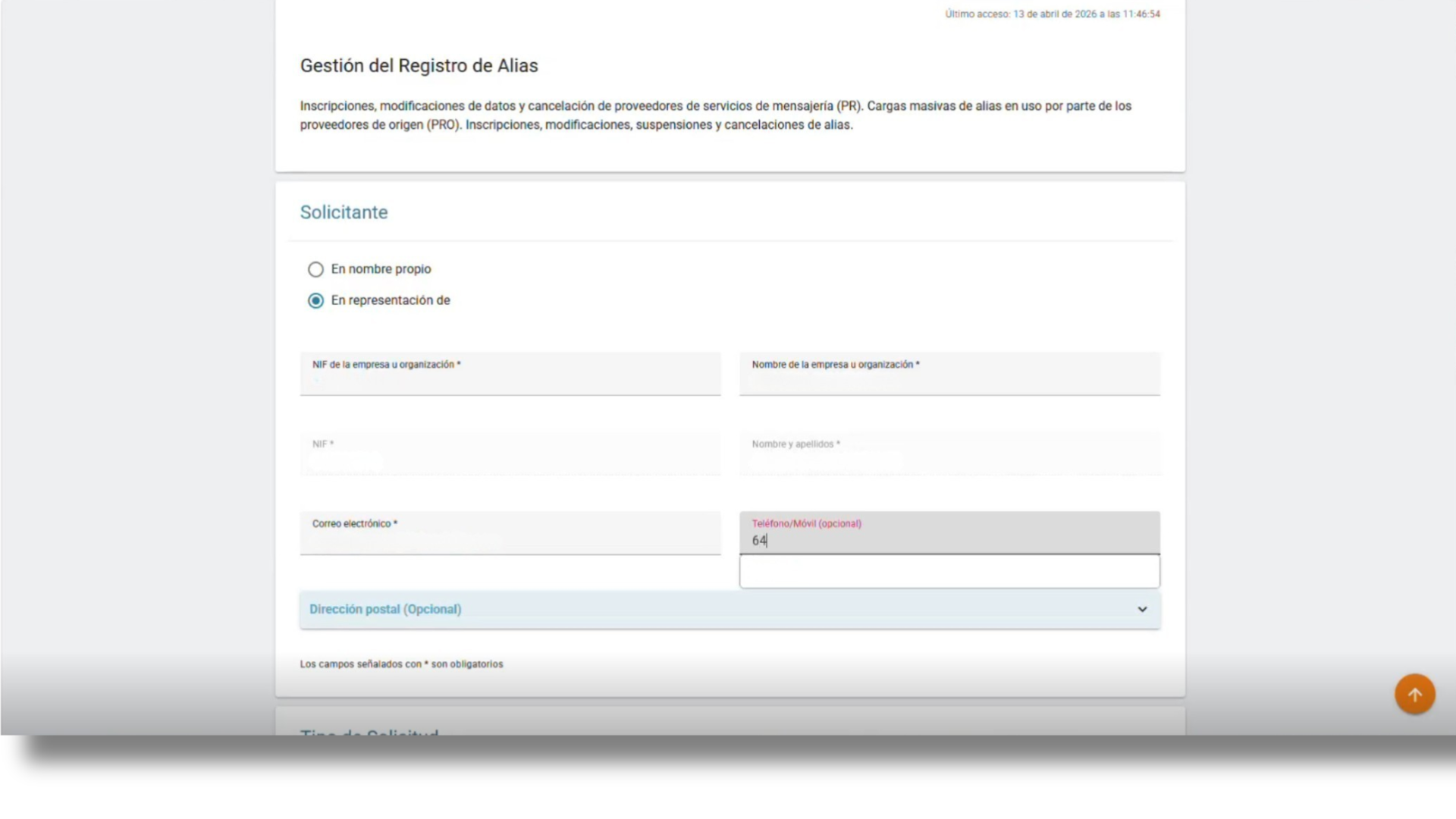
Select the type of request you wish to submit. In this case, choose “Alias Registration.”
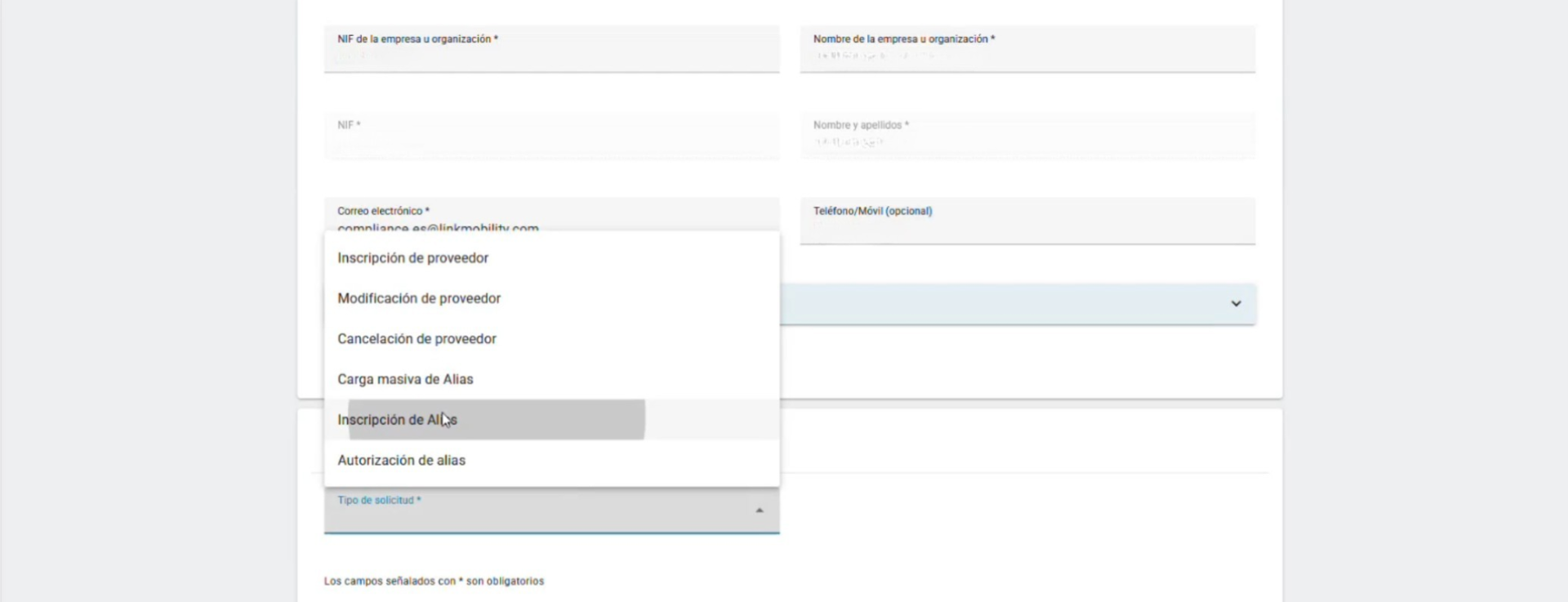
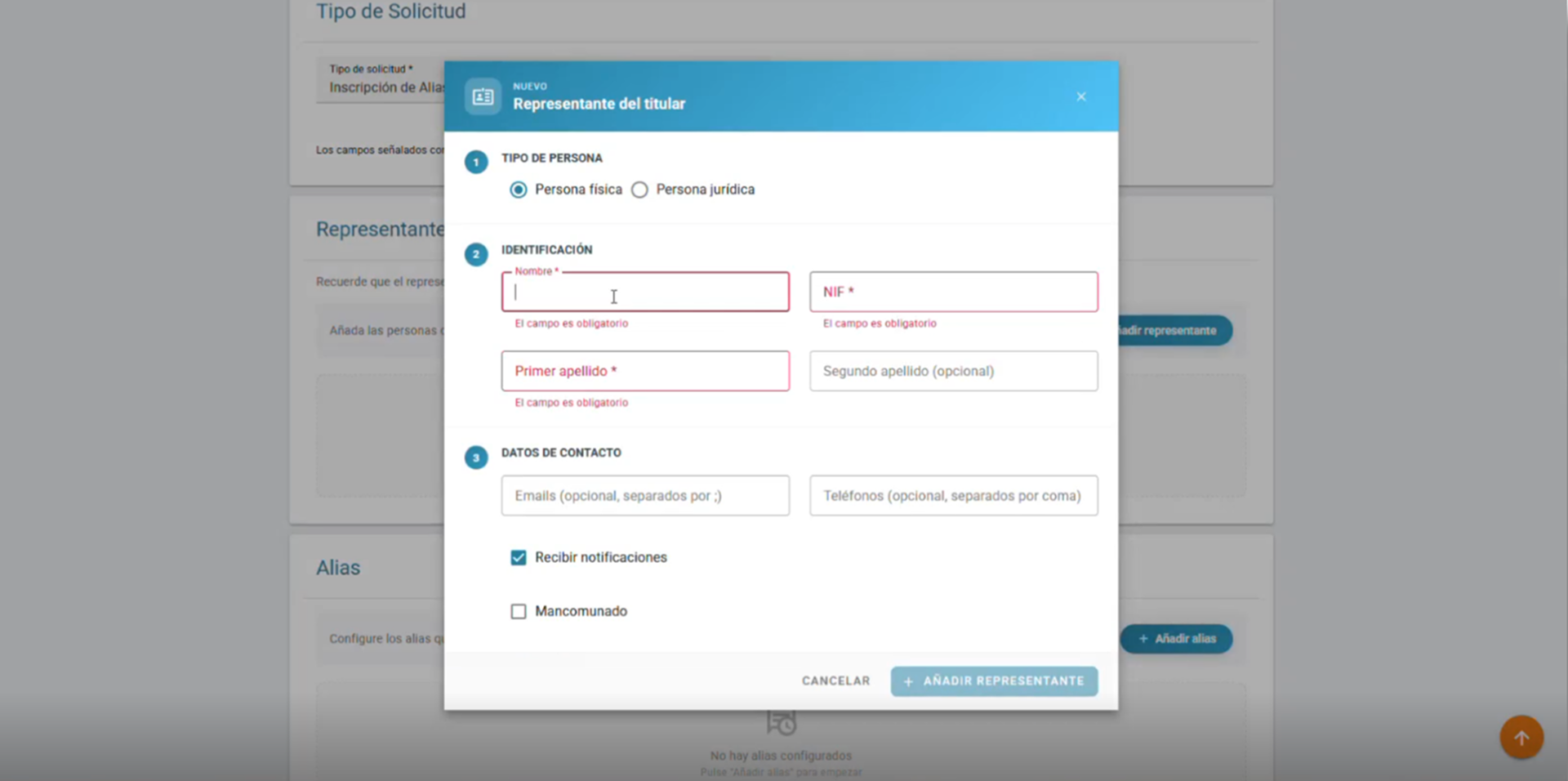
The system requires you to identify a natural person to act as the account holder's representative. Go to the "Alias Holder’s Representative” section and click "Add Representative." Then, complete the required information. It is important to enable notifications for this representative.
By default, the person type "Natural Person" is active; however, it is usual for the alias holder to be a legal entity, so in that case the data would be that of the company (alias holder) and the details of the natural person acting as its representative.
3. Register the Sender ID / Alias
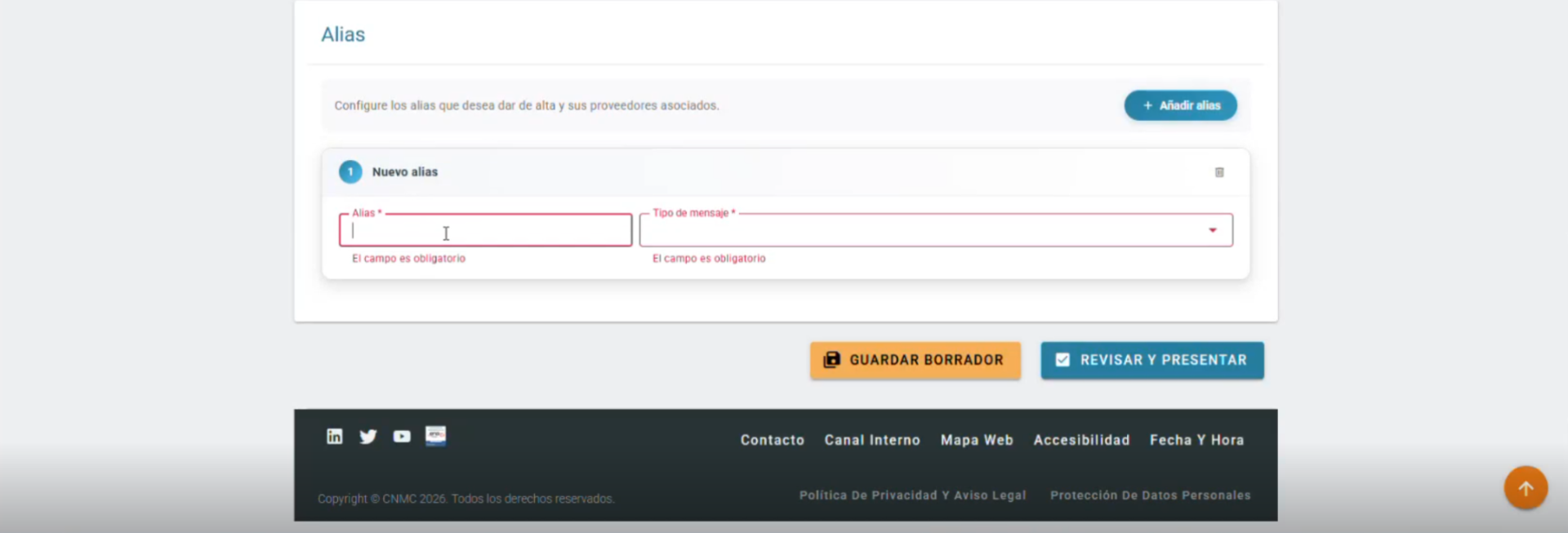
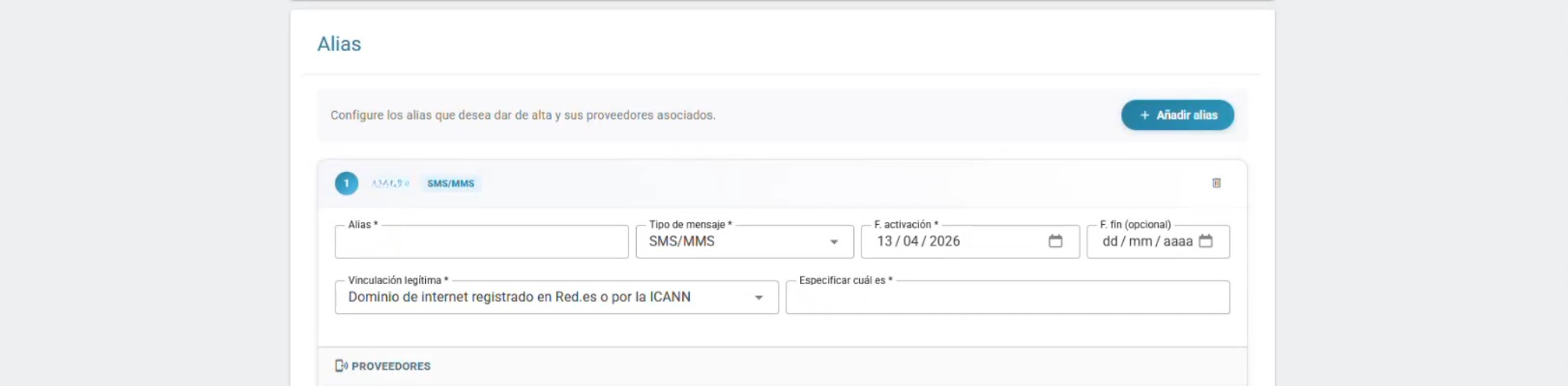
Add each alphanumeric Sender ID / Alias individually.
For each one, enter:
- Alias name
- Message type, SMS/MMS or RCS
- Activation date
- Optional end date
The end date can be left blank for indefinite validity. There is no specific alias limit, provided each alias meets the CNMC format and eligibility criteria.

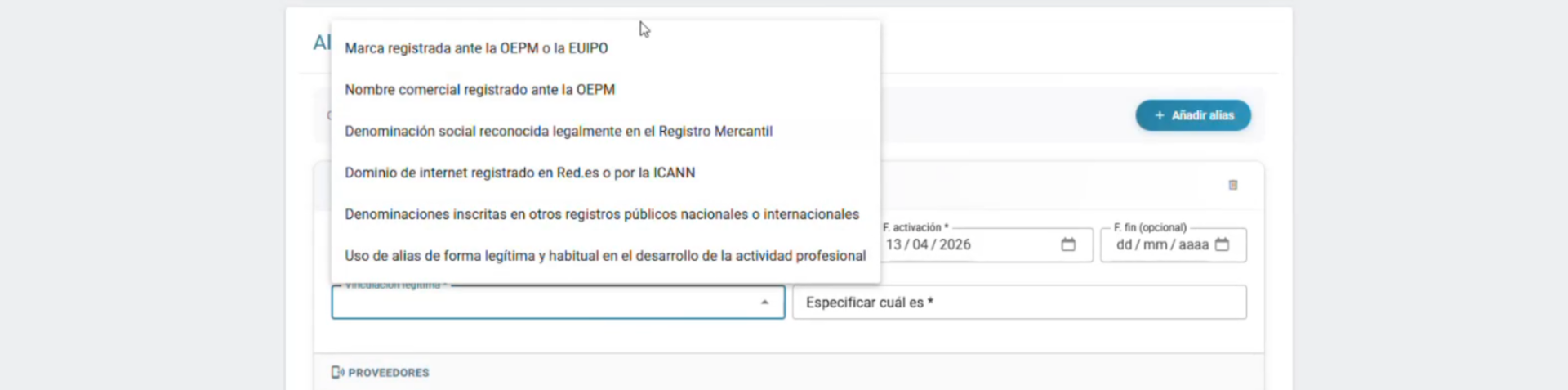
5. Justify the legitimate connection
Explain why the company is entitled to use the requested Sender ID / Alias.
Common justification types are:
Internet domain
Example:
Alias: TEST
Justification: test.es
Company name
Example:
Alias: GroupTest
Justification: Grupo Test S.L.
Trademark
A registered trademark may also be used.
The Sender ID / Alias and justification must clearly match. If the link is unclear or cannot be verified, the application may be rejected. CNMC may request supporting documentation later.
6. Select the authorized suppliers
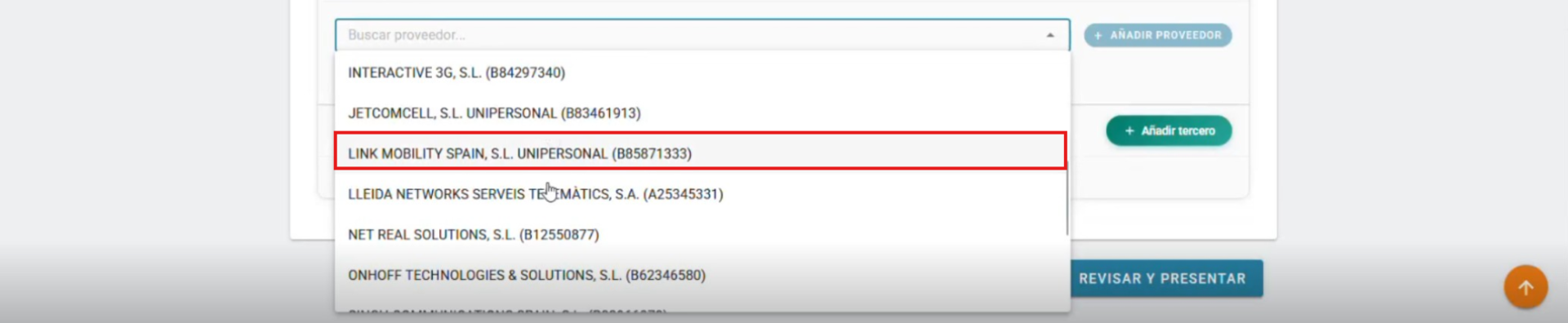
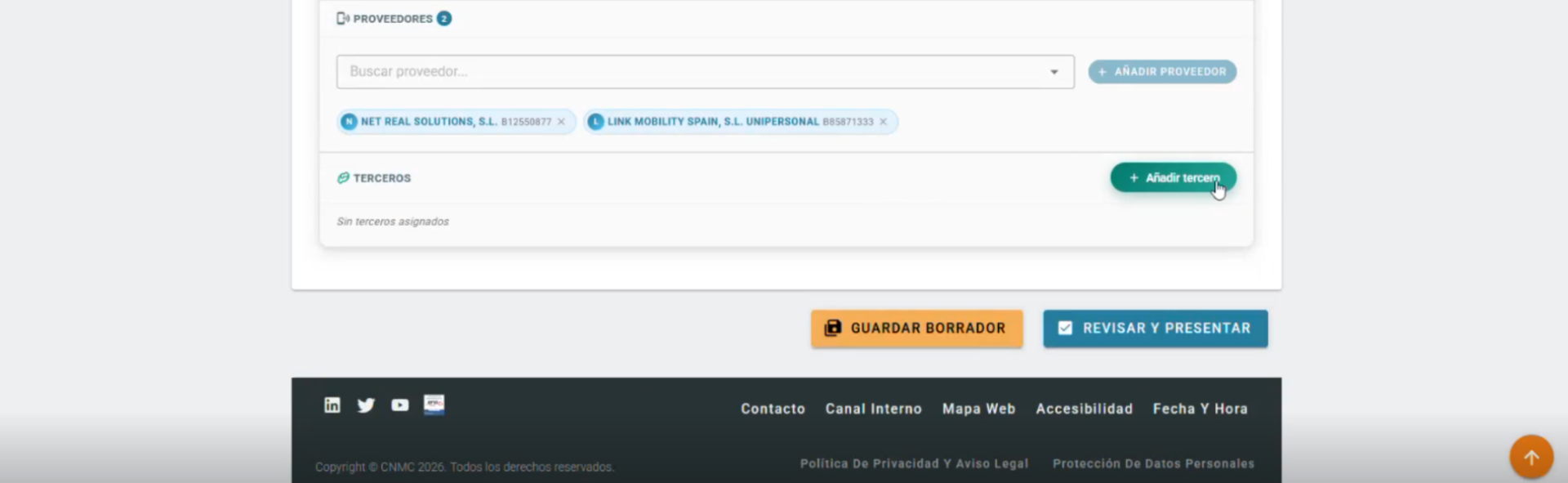
Select the providers authorized to manage message delivery for each Sender ID / Alias.
We recommend selecting:
- LINK MOBILITY SPAIN, S.L. UNIPERSONAL
- NET REAL SOLUTIONS, S.L.
7. Add third parties, if applicable
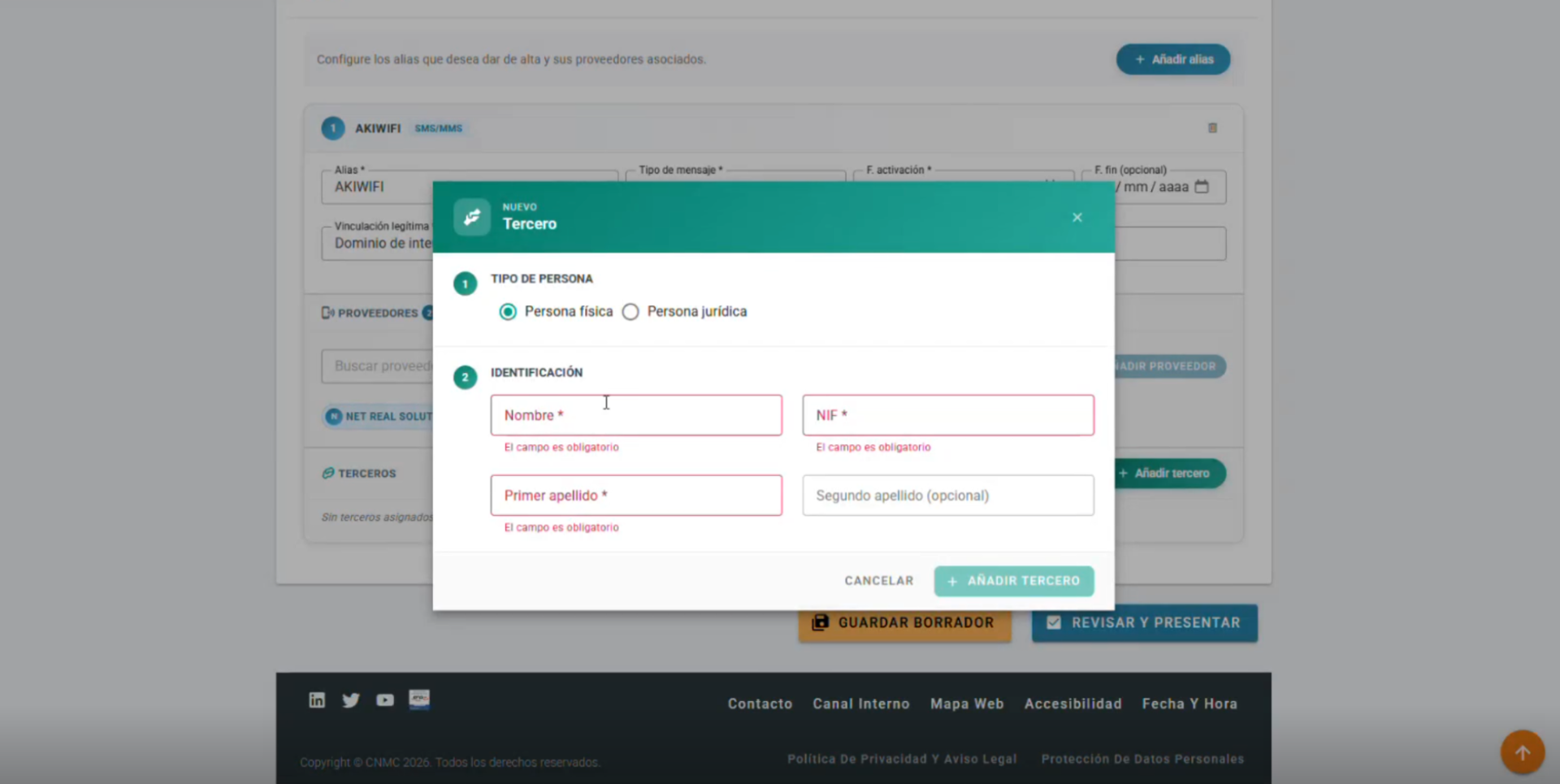
If another company will send SMS or RCS using the holder’s Sender ID / Alias, add it as a third party.
Click “Add third party”, select whether it is a natural person or legal entity, complete the full third-party details, including company and representative information, and save.
If no third parties are involved, leave this section empty.
Third parties will be notified by CNMC about the progress of the registration process, and their NIF will be linked to the Sender ID / Alias.
8. Review and submit
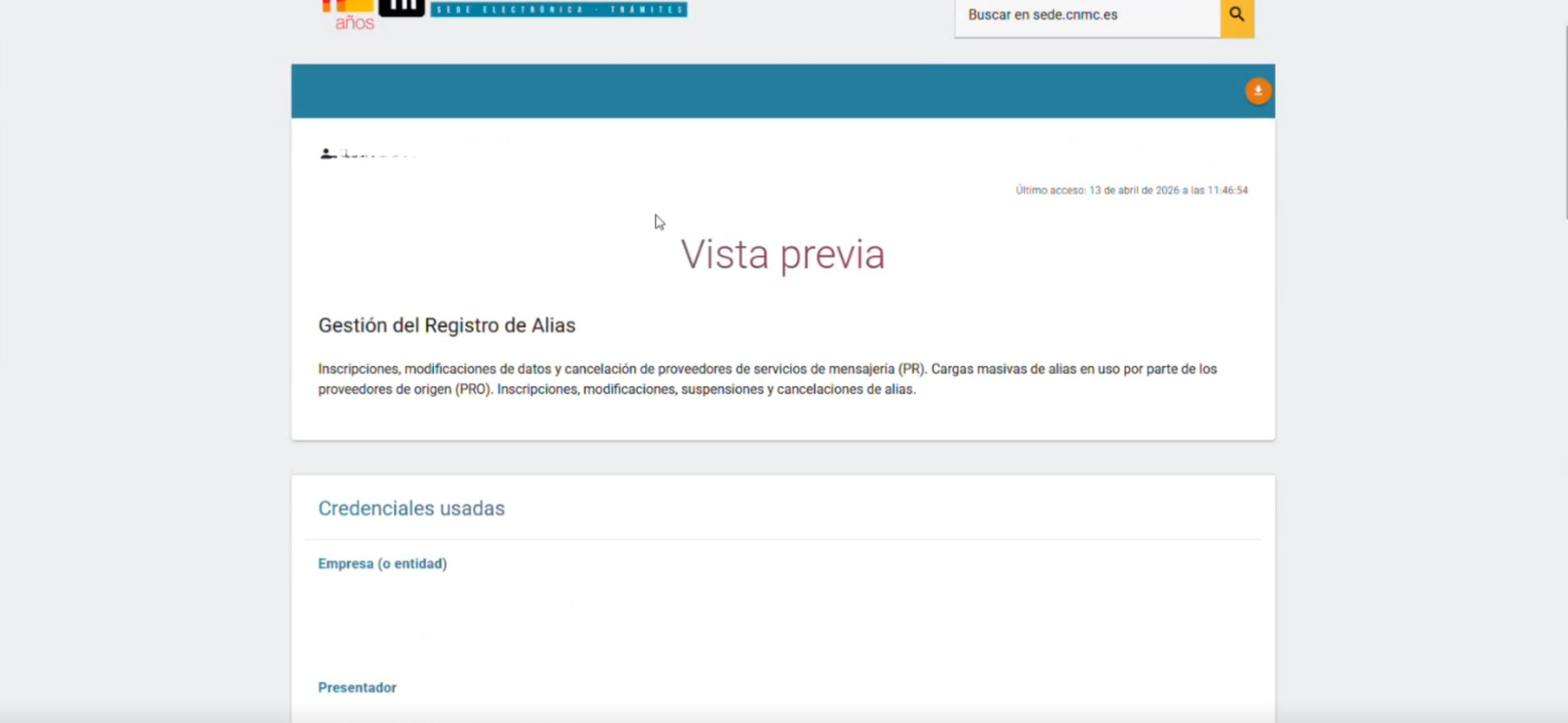
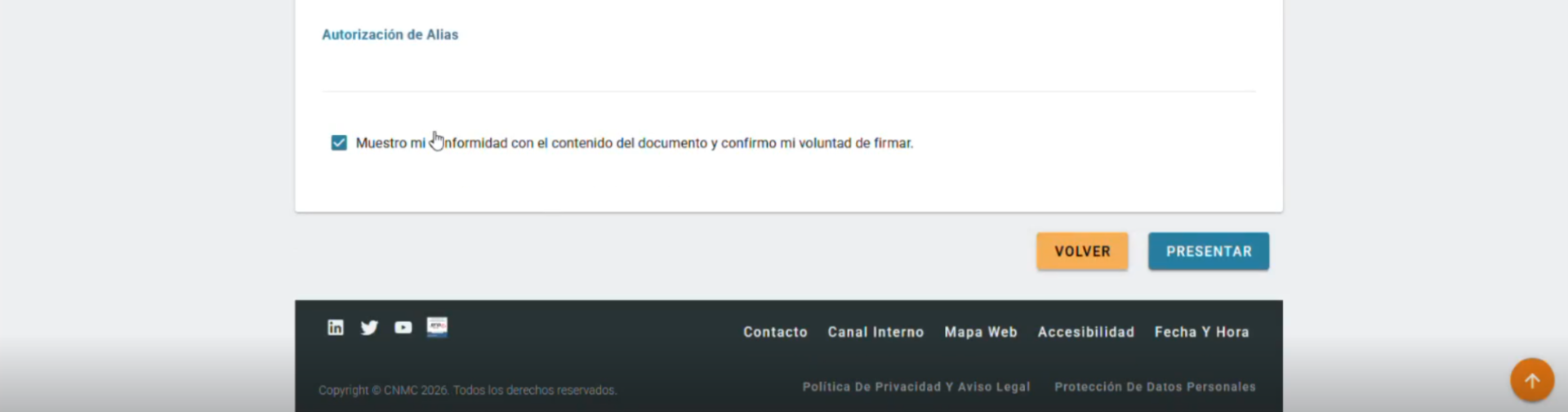
Click “Review and submit.”
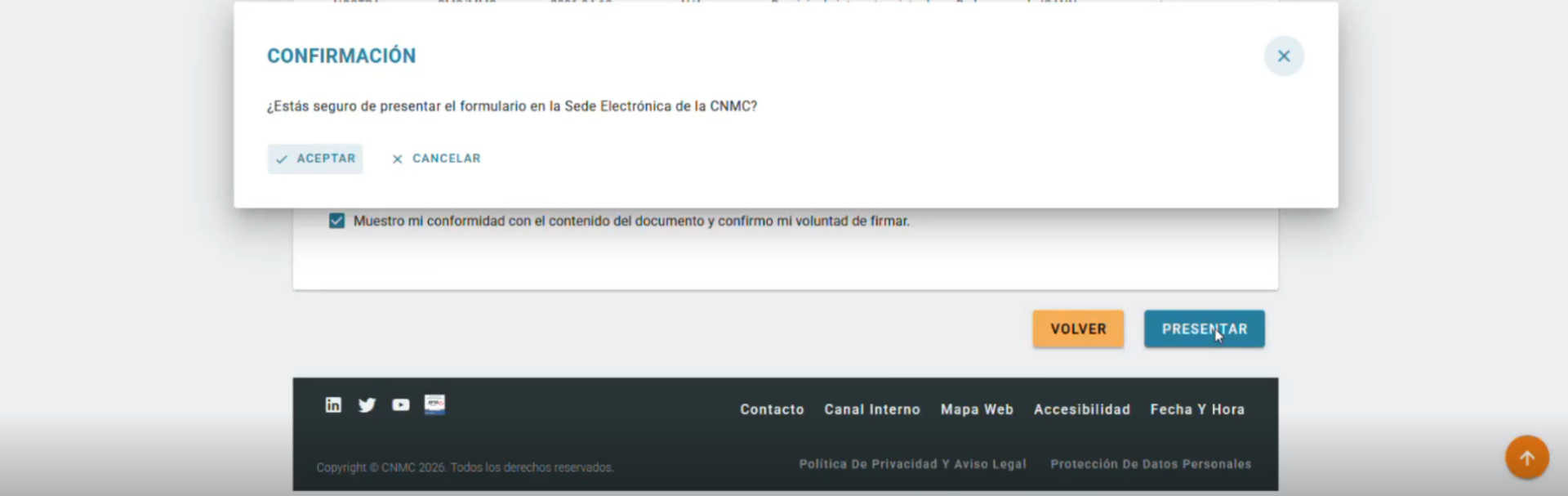
Review the full application summary, accept the declaration, and click “Submit.”
Declaration text:
“I agree with the content of the document and confirm my intention to sign.”
Confirm the submission to complete the initial application.
9. Download the receipt
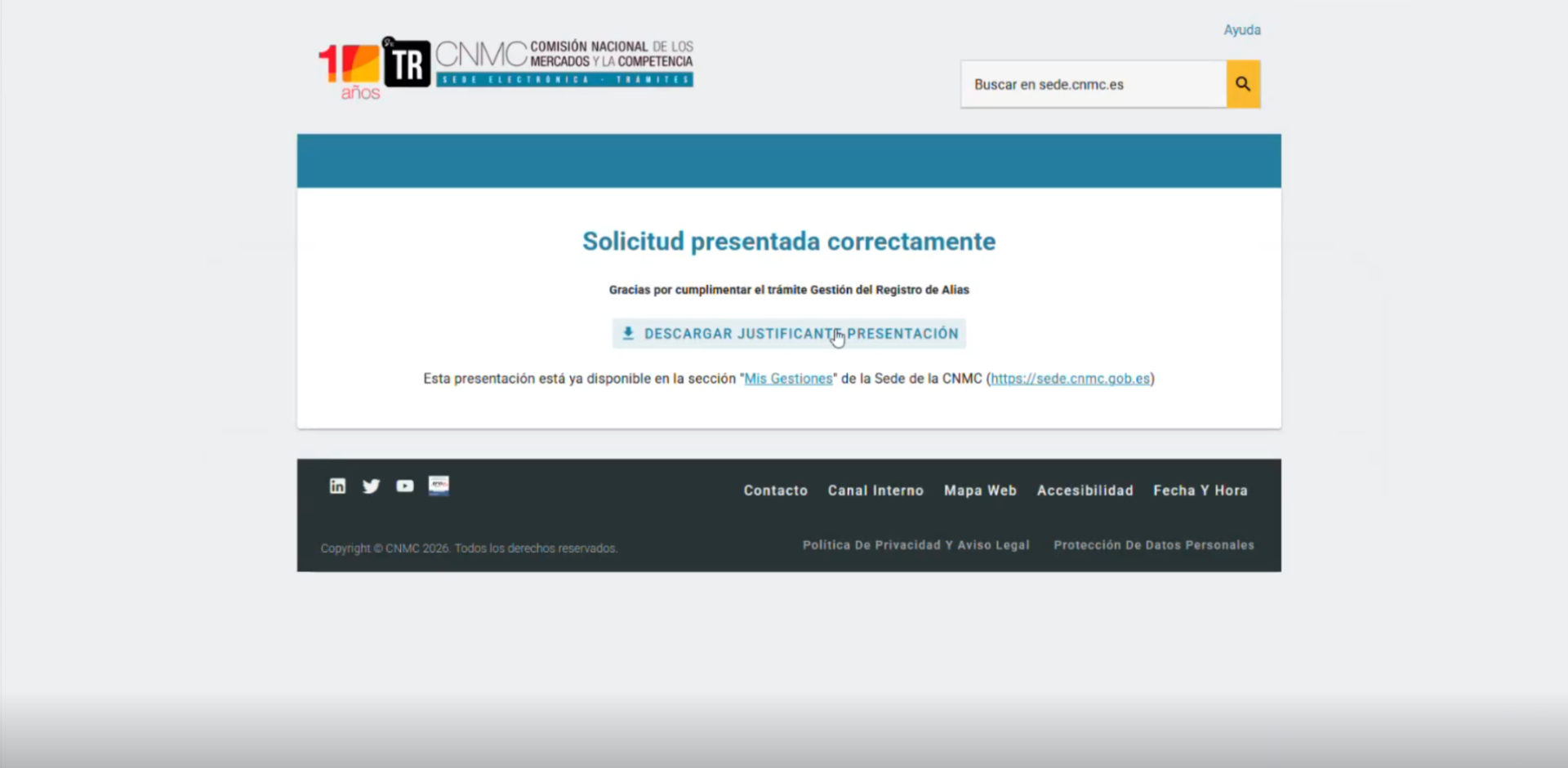
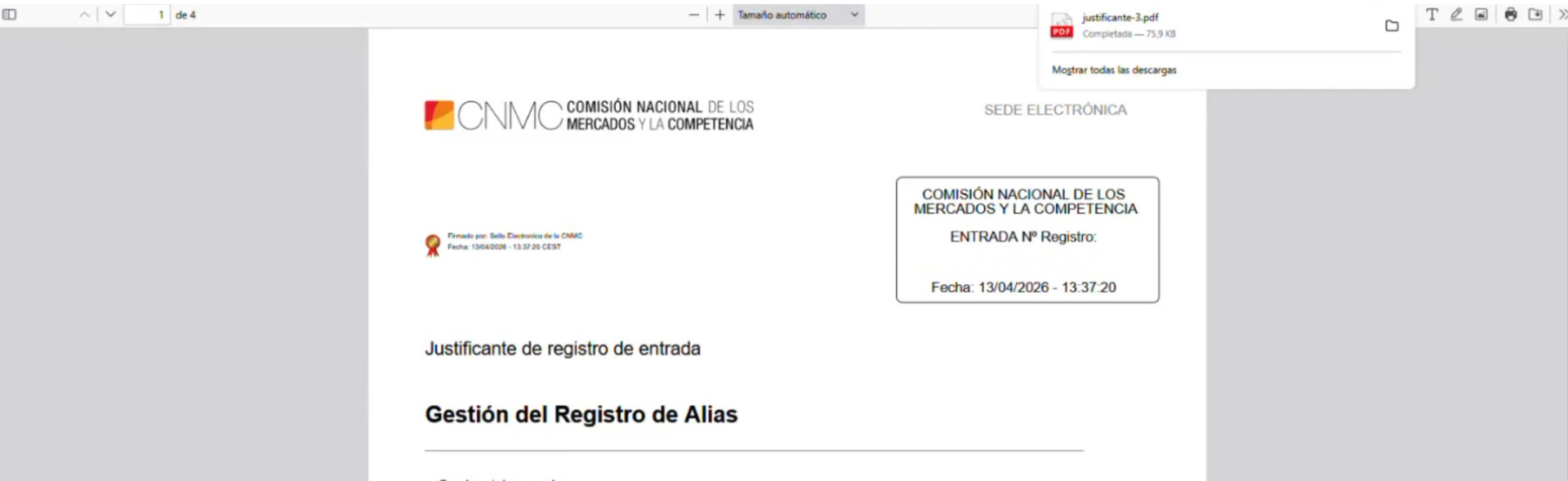
After submission, download and retain the receipt.
The receipt confirms that the request has been submitted, but the Sender ID / Alias is not yet fully registered.
Registration timeline and final validation
The registration is not final until the alias holder completes CNMC’s validation step.
After submission, the alias holder receives an official CNMC notification requesting final approval. CNMC may take up to 3 months during 2026 to issue this notification.
To complete validation, the alias holder must access the CNMC portal, authenticate with a valid digital certificate, and explicitly approve the Sender ID / Alias registration.
Only then is the Sender ID / Alias formally registered and fully operational.
Requirements for Numeric Sender IDs
Numeric Sender IDs cannot be registered in the Alias Registry. But they are subject to separate regulatory requirements.
All numeric Sender IDs must comply with CNMC numbering regulations, including the use of valid 9-digit fixed or mobile numbers. Sender IDs that do not meet these requirements may be blocked by recipient networks.
This requirement applies to Spanish numeric Sender IDs. Foreign numbers sent from outside Spain are treated differently and should not be blocked under the same rules, provided they do not present a Spanish alias/Sender ID or fall under another applicable blocking requirement.
Please ensure that all numeric Sender IDs used for messaging in Spain follow the applicable national numbering rules and restrictions.
Additional information for partners and resellers
Partners and resellers must ensure that their customers are aware that the end customer, as the actual sender of the message, is responsible for the use, accuracy, and registration of the Sender ID. This includes ensuring that all required registrations, approvals, and supporting documentation are completed in accordance with applicable local requirements before traffic is sent.
LINK Mobility does not register Sender IDs on behalf of partners’ or resellers’ customers, unless otherwise agreed. LINK Mobility may provide support to partners and end customers throughout the registration process. Responsibility for providing correct information, obtaining any required approvals, and complying with mandatory Sender ID registration processes remains with the end customer. Partners and resellers should inform their customers of these obligations before sending traffic to destinations where Sender ID registration is mandatory.
Need guidance on SMS destination requirements?
SMS rules, documentation, and compliance requirements can vary by country and operator. Our local teams are ready to help you understand what applies to your destinations, including sender ID, routing, registration, and other local requirements. Visit our support section to get in touch.